Product screens
Clearer navigation, useful status labels, and tables that support the work. Keep the product's rules and data meaning intact.
 WingmanPM Product Designer
Review and improve product screens with a skill that respects your product, brand, and users.
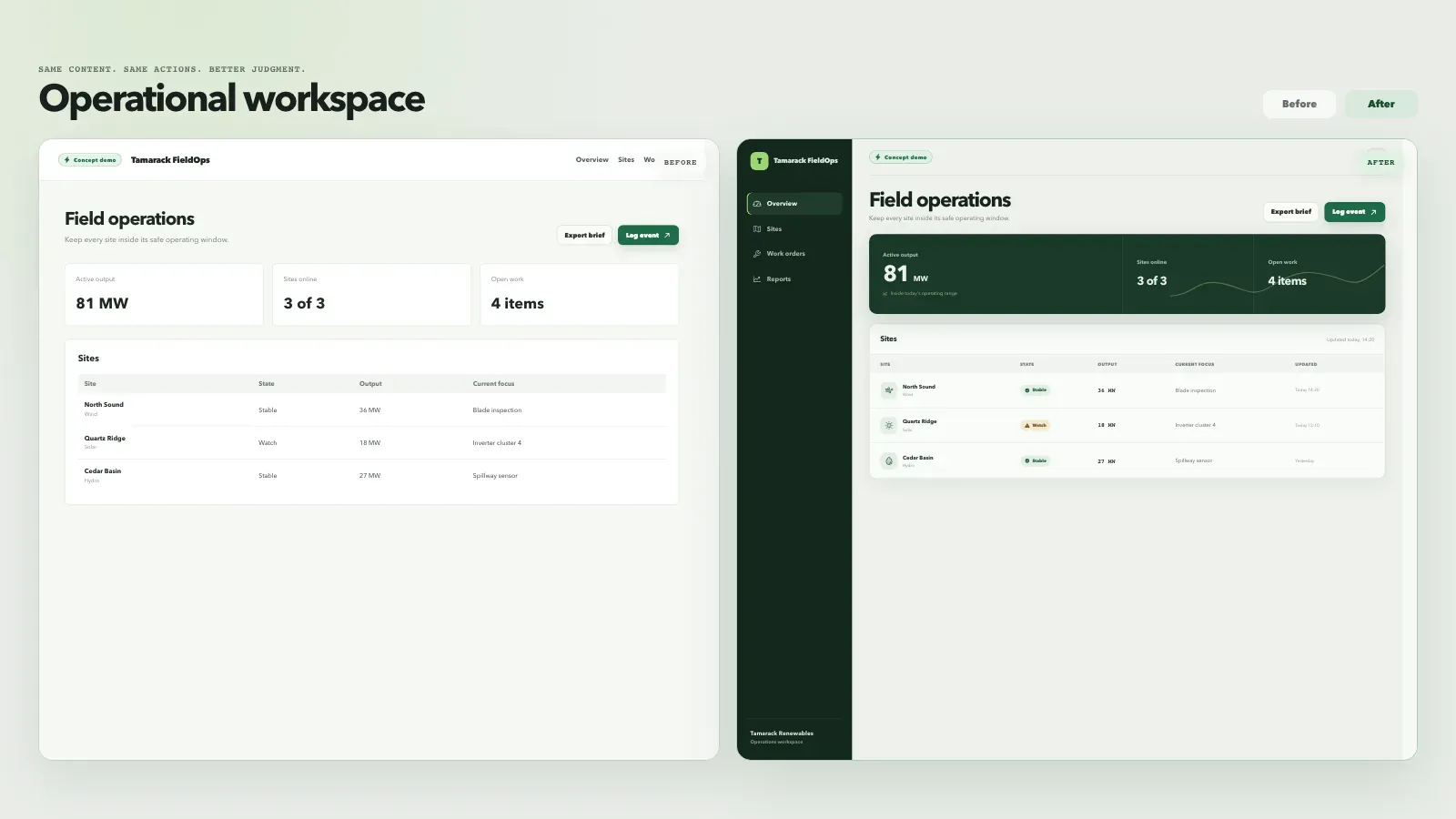
Authored examples with the same content and actions on both sides. Fictional company and sample data. Results depend on your project and agent.
For founders, developers, and product teams building with Codex, Claude Code, or Cursor. Start with one screen or a shared design system.
Clearer navigation, useful status labels, and tables that support the work. Keep the product's rules and data meaning intact.
Make the next step clear. Include validation, keyboard paths, loading states, and a way to recover when something fails.
Keep scope, sources, uncertainty, and approval in view. Help people check a draft before an action has consequences.
Give new pages a clear direction. Use the brand and shared components already in the project.
Inspect the screens, stack, brand, and shared components. Understand what people need to do.
Refine what works, elevate a screen, or explore a new direction. Keep the change tied to your request.
Work in your project. Include small screens, real states, and the interactions behind the layout.
Use project checks, keyboard review, and browser evidence. Name anything still unverified.
Install the skill, open your project, and ask for the outcome you need. Start with a review.
No WingmanPM account required. Your coding agent’s access and usage costs still apply.
View npm release 1.0.0npx wingmanpm-product-designer@1.0.0 install --agent codex
Start a new agent session, then paste this first request. Replace “billing settings” with the screen you want reviewed.
$wingmanpm-product-designer review billing settings
Node.js 20+ required. Installs the standalone skill for Codex. This request reviews the screen; ask for a fix when you are ready.
These commands use npm release 1.0.0. Agent Plugins, Agent Skills, and native Codex and Claude Code plugin setup are in the install guide.
Claude Code’s native plugin uses /wingmanpm-product-designer:wingmanpm-product-designer. The standalone skill above uses the shorter command.
Claude Code and Cursor live behavior tests remain deferred in the published report. Host support does not imply official marketplace approval. Read the compatibility evidence.
The complete skill folder is required. Do not install only the SKILL.md file. Browser checks can need additional project packages and Chromium.
A design skill that runs through your chosen agent. Its access stays within the permissions you give that agent.
Read the source